

Exactly what your first 30 days look like
A week-by-week roadmap for your first month of recruiting — about two to three hours a week. Freshman with time on your side or a senior who needs a plan now, you'll know exactly what to do, in what order, from day one.
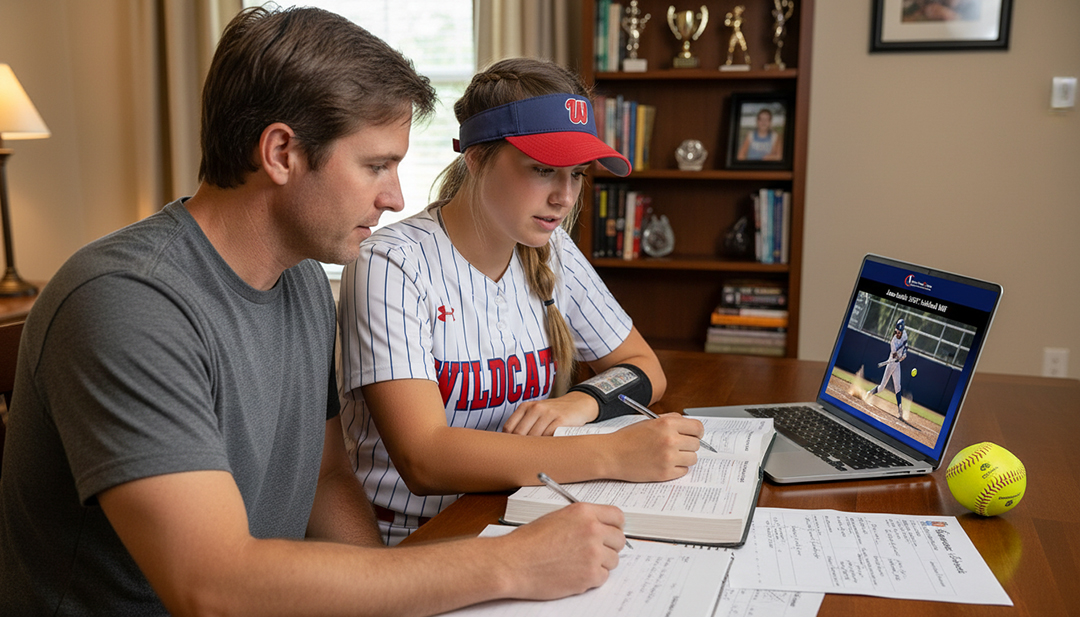
By day 30, you'll have
- A recruiting profile coaches can open at your own shareable link
- A tiered list of 30–50 college programs that actually fit you
- A real grasp of how recruiting works — divisions, timelines, scholarship math
- Your first coach emails sent, logged, and scheduled for follow-up
No contracts · Cancel anytime · The assessment is free and takes about three minutes
The first month covers five of the six stops
The AthletesGoing2College Recruiting Blueprint runs Learn → Prepare → Build → Target → Connect → Get Recruited. Your first 30 days work through the first five. The sixth isn't a 30-day event, and this page won't pretend otherwise.
Foundation — know the game
Before you email a single coach, you learn how recruiting actually works — the knowledge that keeps you from costly mistakes in the weeks ahead — and you get your materials together.
About 2 hours 5 minutes this weekWork through “Know the Game”
Start with the Know the Game lesson: how coaches find and evaluate prospects, what scholarships look like at each level under current rules, the timeline for your grade year, and the NCAA contact rules.
Outcome You stop guessing at how recruiting works and start from real understanding.
Get your parent up to speed
Have your parent read the Parents Portal preview: their role, the questions that are theirs to handle, scholarship basics, and the red flags to watch for. It's what lets them support you without accidentally taking over.
Outcome Your parent knows their job in this — and knows what's yours.
Have the honest division conversation
Use the Choose Your Division framework to talk through where you can genuinely compete — D1, D2, D3, NAIA, JUCO, or a mix. No wishful thinking, no underselling. This conversation reshapes every decision that follows.
Outcome You agree on a realistic target range — probably two or three levels to explore.
Gather what you already have
Put everything in one folder: current stats, recent game video or highlights, GPA and transcript, headshots and action photos, tournament schedule, coach references. Save your YouTube or GameChanger links.
Outcome Everything next week's profile build needs is already in one place — so Week 2 is assembly, not scavenging.
End of Week 1. You understand the recruiting landscape, you have a realistic division range, and your materials are organized. No emails sent yet — and that's exactly right.
Build your profile — your digital resume
Now you create the recruiting profile you'll send to every coach. The standard: a coach can size you up in under two minutes, from any device. Your profile doesn't change based on which schools you email — it's the same page for every one of them — so building it now means that the moment you have a target list, you're ready to send.
About 2 hours 25 minutes this weekOpen the Recruiting Profile Builder
Create your profile shell in the Recruiting Profile Builder and pick your URL — the format is athletesgoing2college.com/softball/janesmith2028. Add your bio: name, grad year, position or positions, height, hometown, high school, travel team.
Outcome Your profile URL exists and is reserved.
Add your academics — honestly
GPA weighted and unweighted, test scores if you have them, class rank if available, intended major, NCAA Eligibility Center status, academic awards. Academics are often the first thing a coach checks — accurate matters more than impressive.
Outcome Coaches can verify you qualify academically before spending time on your athletics.
Add your stats and measurables
Position-specific stats by season. Pitchers: velocity, pitch types, ERA, strikeouts. Hitters: average, OPS, home runs. Fielders: positions, fielding percentage. Add measurables where they help. Use real numbers from GameChanger or official stats — not estimates.
Outcome A stats page a coach can scan in 20 seconds.
Link your video
Link a YouTube highlight reel or GameChanger footage right in your profile. No reel yet? Use recent full-game footage as a placeholder — footage beats no footage, and you can add a reel in Month 2.
Outcome A coach can click once and watch you play.
Add photos, schedule, and contact info
One clean headshot, two or three action photos, your upcoming tournament schedule with dates and locations, and contact info. Your home address is never displayed, and your parent should be copied on all coach communication while you're under 18.
Outcome A profile that looks and works like the professional page coaches expect.
Review together and publish
Open your profile URL on a phone — how most coaches see it first. Every section complete? Video loads? Contact button works? Stats current? If yes, publish. Compare it against a sample profile if you want a reference.
Outcome A live, shareable URL — the link in every coach email from here forward.
End of Week 2. A professional recruiting profile at your own URL, live and ready. You can send it to a travel coach today and to a college coach the moment your list is built.
Start today, and Weeks 1 and 2 are already mapped out.
The AthletesGoing2College Recruiting Blueprint covers all four weeks on this page and everything after them — the foundation lessons, the division-fit framework, the Recruiting Profile Builder, the College Search Dashboard, the outreach templates, and the Contact Tracker. Start now and your profile could be live by next week.
See plans and pricing →Build your school list — target the right programs
With a realistic division range from Week 1 and a live profile from Week 2, you build the list of 30–50 programs you're actually going to pursue.
About 2 hours 40 minutes this weekSet your non-negotiables
Before searching, decide what can't bend: division range, how far from home you'll go, majors you need, school-size preference, and rough net-cost budget. Write them down — they're your filters.
Outcome A clear filter set so your search is focused, not overwhelming.
Open the College Search Dashboard
Search the 900+ program database in the College Search Dashboard. Filter by division, then region, size, and major. Save anything interesting — cast a wide net first, narrow later.
Outcome 60–100 programs saved for a deeper look.
Research and narrow your list
Click into your saved schools. Check each athletic site: current roster for class balance and position needs, coaching staff, recent record, and your intended major. Cut anything that doesn't fit.
Outcome A working list narrowed to 30–50 realistic targets.
Sort by fit tier
Split your list into three tiers: reach, a stretch athletically or academically; target, a solid fit both ways; and likely, strong odds of real interest and admission. A healthy list has all three — not just reaches.
Outcome A tiered, realistic list. No daydream-only schools.
Have your parent run cost comparisons
Using the College Cost Comparison Tool, have your parent look at the real net cost of your top five to ten programs. Sticker prices lie — net cost after academic, financial, and any athletic aid is the number that matters, and it often changes which schools you prefer.
Outcome Cost reality shapes how you prioritize the list before you start emailing.
End of Week 3. A tiered list of 30–50 target programs with coach names identified, and you both know what your top choices actually cost.
First outreach — emails that get opened
This is the week it gets real. You write and send your first coach emails. The first five are the hardest — the next fifty are easier.
About 3 hours 10 minutes this weekWork through “Your Outreach Starts Here”
Read the full Your Outreach Starts Here content: how to write intro emails, subject lines that get opened, email structure, what to say and what to leave out, and how to personalize for each program.
Outcome You know what makes a coach email work — before you write one.
Draft your master email
Using the template, draft the master email you'll personalize per program: subject line, an opening with your grad year and position, one specific reason you're interested in that program, an academic and athletic snapshot, and your profile link.
Outcome A strong draft you can personalize in three to five minutes per school.
Have your parent proof it
Ask your parent to read your master draft for typos, tone, and clarity — but not to rewrite it in their voice. Coaches can tell when a parent wrote the email. The goal is a polished email in your voice, not a perfect one in theirs.
Outcome An email that sounds like you wrote it — because you did.
Send your first five emails
Pick five programs from your list — ideally a mix of Stretch, Target, and Foundation. Personalize the master email for each: coach name, something specific about the program, why it fits. Then send. Not fifty — five. Quality beats volume on the first wave.
Outcome Your first five coach emails are out in the world.
Log every email in the Contact Tracker
For each: school, coach contacted, date sent, and a follow-up date 10 to 14 days out. This is the system that keeps your outreach from slipping through the cracks over the next 6 to 12 months.
Outcome A live record of your outreach and scheduled follow-ups.
Set your rhythm for Month 2
Agree on a cadence you can keep: how many new emails per week, which day is email day, and when to follow up on no-responses. Consistency over months beats a Week 4 burst that fizzles by Week 6.
Outcome A realistic weekly rhythm you can actually maintain.
End of Week 4. First emails sent. Profile live. Target list built. Tracker running. You're no longer thinking about recruiting — you're running the process.
What you'll have after 30 days
Follow the roadmap and here's what's concretely different at the end of Month 1 versus Day 1.
- A professional recruiting profile with its own URL, ready for any coach
- A tiered list of 30–50 programs that fit your athletic and academic range
- A real understanding of how recruiting works at every division
- Five personalized coach emails sent, logged, and scheduled for follow-up
- A weekly outreach rhythm in place, so momentum doesn't die in Week 5
- A real read on net cost at your top schools, not just sticker prices
- You and your parent on the same page — without them running it for you
Month 2 and beyond
Day 30 is a starting line, not a finish. Here's what the work looks like once the roadmap ends and stop 06 comes into view.
Volume and rhythm
Work steadily through the rest of your list at the cadence you set in Week 4. Follow up on every no-response once. Replace placeholder footage with a real highlight reel. Update stats after each tournament — a profile with last season's numbers is worse than none.
Conversations and camps
Coach replies turn into phone calls, camp invitations, and questionnaires. You prepare for calls, pick camps at programs actually recruiting your position and grad year, and keep the Contact Tracker current so nothing goes cold.
Visits and evaluation
Campus visits become the highest-stakes evaluation you'll do — and the one where a parent's read matters most. Programs get compared on culture, staff stability, academics, and playing time, not just level.
Offers and commitment
Offers get read carefully: what the aid actually covers, what renews, and what the real net cost is across every school still in play. Then a decision made on the full picture rather than the first number.
Go deeper: Scholarships & financial aid · A parent's guide to campus visits · Red flags to watch for · Making your commitment
Nothing here promises offers, commitments, or scholarship money by Day 30. Recruiting doesn't work on that timeline — anyone telling you otherwise is selling something that isn't true.
What the first 30 days do give you is exactly what matters for the next 12 to 24 months: a profile coaches can evaluate, a list of programs you're actively pursuing, and a system for consistent outreach. Offers come out of a process run well over a long time — and the athletes who see results are the ones still doing the work in Month 2, Month 6, and Month 12, not the ones who sprint in Week 4 and disappear in Week 5.
Learn · Prepare · Build · Target · Connect · Get Recruited
Ready to start Day 1?
The AthletesGoing2College Recruiting Blueprint covers every week on this page and the months that follow — the lessons, the Profile Builder, the College Search Dashboard, the outreach templates, the Contact Tracker, the Parents Portal, and the College Cost Comparison Tool. No contracts, and you can cancel anytime in your account.
Still deciding? Take the free assessment or read the FAQs — no card needed for either.
ATHLETESGOING2COLLEGE
STAND OUT | GET NOTICED | GET RECRUITED
The step-by-step college softball recruiting system — six stops from learning how recruiting works to signing with a program that fits. Your athlete runs it, under their own name.
Start the Blueprint — $199/yr →$24.99/month or $199/year · No contracts · Cancel anytime
Recruiting rules change and vary by division. Always confirm current rules with the governing body: NCAA.org · NAIA.org · NJCAA.org